
TPA6138A2EVM
1 Introduction
Thissectionprovidesanoverviewof theTexasInstruments(TI)TPA6138A2DirectPath™stereo headphoneamplifierevaluationmodule(EVM). It includesabriefdescriptionof themoduleandalistof EVMspecifications.
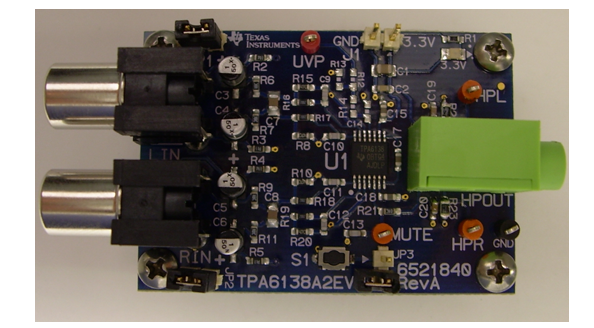
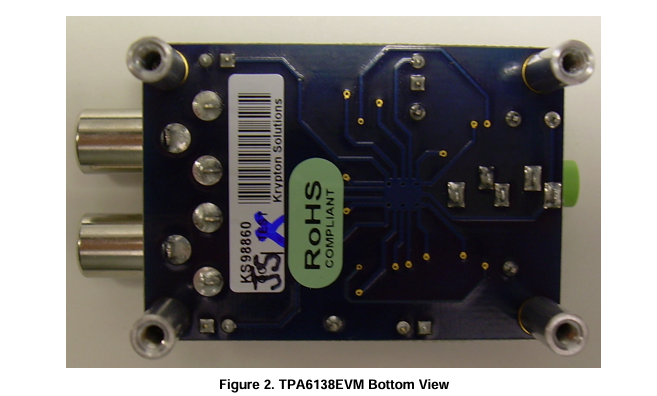
1.1 Description
The TPA6138A2 is a DirectPath™ stereo headphone amplifier capable of delivering 25 mW/Ch into 32 Ω and requires no output DC blocking capacitors.
The TPA6138A2 EVM is a complete, stand-alone audio board. It contains the TPA6138A2 TSSOP DirectPath™ stereo headphone amplifier.
2 Operation
This section describes how to operate the TPA6138A2EVM.
2.1 Quick-Start List for Stand-Alone Operation
Use the following steps when operating the TPA6138A2EVM stand alone or when connecting the EVM into an existing circuit.
2.1.1 Power and Ground
Verify that the external power sources are set to OFF.
Set the power supply voltage between 3 V and 3.6 V. When connecting the power supply to the EVM, first connect the ground connection to the GND connector, and then connect the positive supply to the VDD connector. Verify that the connections are made to the correct banana jacks.
2.1.2 Inputs and Outputs
2.1.2.1 Audio
Verify that the audio source is set to the minimum level.
2. Connect the audio source to the inputs, LIN and RIN. Shunt JP1 and JP2 for single-ended input.
3. Connect a headset or other load to the headphone jack.
2.1.2.2 Shutdown Controls
Shutdown is controlled by pushbutton S1. Press and hold S1 to place the TPA6138A2 in shutdown. Release S1 to reactivate the TPA6138A2.
2.1.3 Power Up
Verify the correct connections as described in the Power and Ground and Inputs and Outputs sections.
2. Verify the correct voltage setting of the power supply and turn ON the power supply. Proper operation of the EVM should begin.
3. Adjust the audio signal source as needed.
3 Reference
ThissectionincludestheEVMschematic,boardlayoutreference,andpartslist.
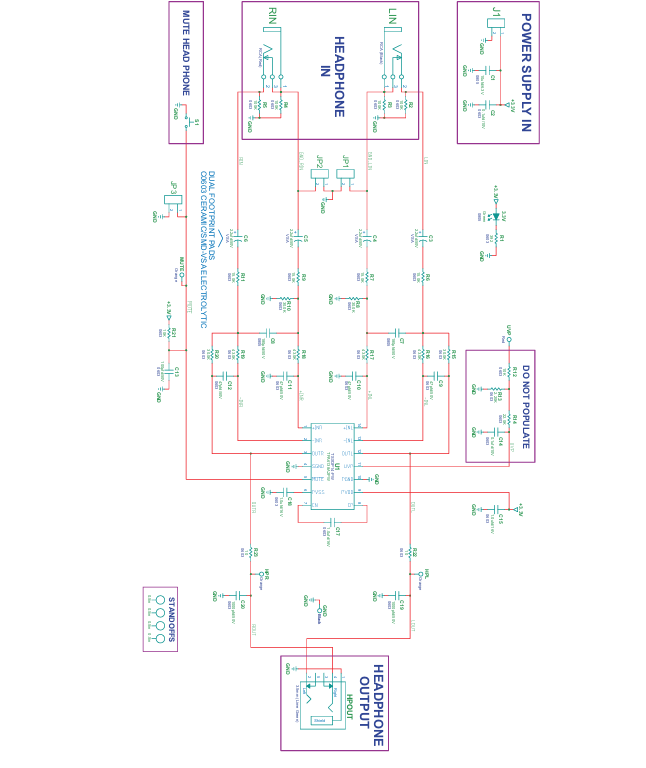
3.1 TPA6138A2EVMSchematic
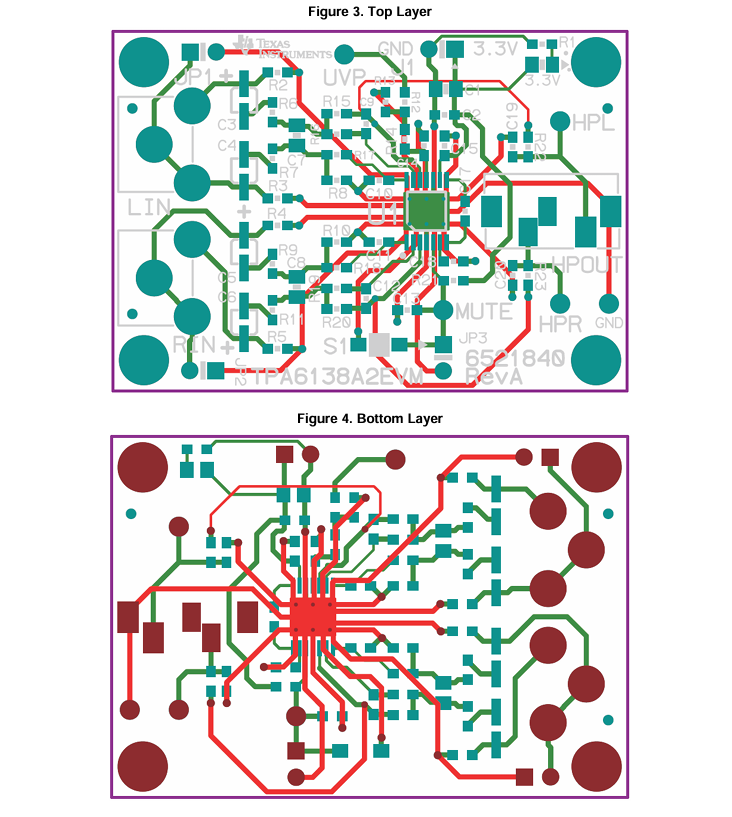
3.2 TPA6138A2EVM PCB Layers
- 苏州杭晶电子入驻工之芯商城,成为优质供应商
- TPS7A30-49EVM-567_TI(德州仪器)中文资料_英文资料_价格_PDF手册
- TLA2024EVM-PDK_TI(德州仪器)中文资料_英文资料_价格_PDF手册
- INA229_239EVM_TI(德州仪器)中文资料_英文资料_价格_PDF手册
- DAC8832EVM-PDK _TI(德州仪器)中文资料_英文资料_价格_PDF手册
- LP8557IEVM_TI(德州仪器)中文资料_英文资料_价格_PDF手册
- LAUNCHXL-F28027F TI(德州仪器)中文资料_英文资料_价格_PDF手册
- DLPDLCR160CPEVM DLP160CP TI(德州仪器)中文资料_英文资料_价格_PDF手册
- THS4631DDAEVM TI(德州仪器)中文资料_英文资料_价格_PDF手册
- DAC3482EVM TI(德州仪器)中文资料_英文资料_价格_PDF手册
- THS4302EVM TI(德州仪器)中文资料_英文资料_价格_PDF手册
- ADS7038Q1EVM-PDK_TI(德州仪器)中文资料_英文资料_价格_PDF手册
- LM3450AEV230V30/NOPB_TI(德州仪器)中文资料_英文资料_价格_PDF手册
- TPS72728DSEEVM-406_TI(德州仪器)中文资料_英文资料_价格_PDF手册
- WL1835MODCOM8A_TI(德州仪器)中文资料_英文资料_价格_PDF手册
 工商网监